
How Facebook’s News Feed Algorithm Works as of January, 2018

How does Facebook’s news feed algorithm work? It used to be more similar to Google—using user-based knowledge and algorithms to predict what stories and posts users will enjoy most. It did (and to an extent, still does) this with dozens of social signals you yourself send the platform—what posts you like, what kind of media you share, what your “interests” and “hobbies” are, and so on—as well as social signals from others like you.
However, thanks to the aftermath of the 2016 election and the rise of spammy, polarizing clutter in users news feeds, Facebook re-jiggered it’s algorithm in late 2017 – early 2018 to go back to basics:
“…recently we’ve gotten feedback from our community that public content—posts from businesses, brands and media—is crowding out the personal moments that lead us to connect more with each other.
…We started making changes in this direction last year, but it will take months for this new focus to make its way through all our products. The first changes you’ll see will be in News Feed, where you can expect to see more from your friends, family and groups.
As we roll this out, you’ll see less public content like posts from businesses, brands, and media. And the public content you see more will be held to the same standard—it should encourage meaningful interactions between people.” Mark Zuckerberg, Facebook
That being said, here is what goes into the Facebook news feed algorithm:
Personal relationship to the user: As of January, 2018, The Facebook news feed algorithm de-prioritizes content from users that don’t have a personal, meaningful relationship with you. That means you’ll see more posts from friends and family, and less posts from brands.
Relevance, using both social signals like engagement and predictions based on your previous activity (do you watch a lot of videos or do you prefer reading articles?).
Quality, using signals from both internal sources (shares, likes) and external sources (linked website quality, mobile quality, photo quality).
Timeliness, using signals including how fast a post received engagement and shares and when it was published.
See Also:
All of these factors contribute to an overall ranking score, which determines where in a user’s news feed a post appears. Social Media Today offers a great in-depth explanation if you want to look further into the inner workings of the algorithm.
Next, we’ll look into groups, as well as how to be sure your posts are relevant, timely, and considered quality content.
Facebook News Feed Hack #1: Create Groups
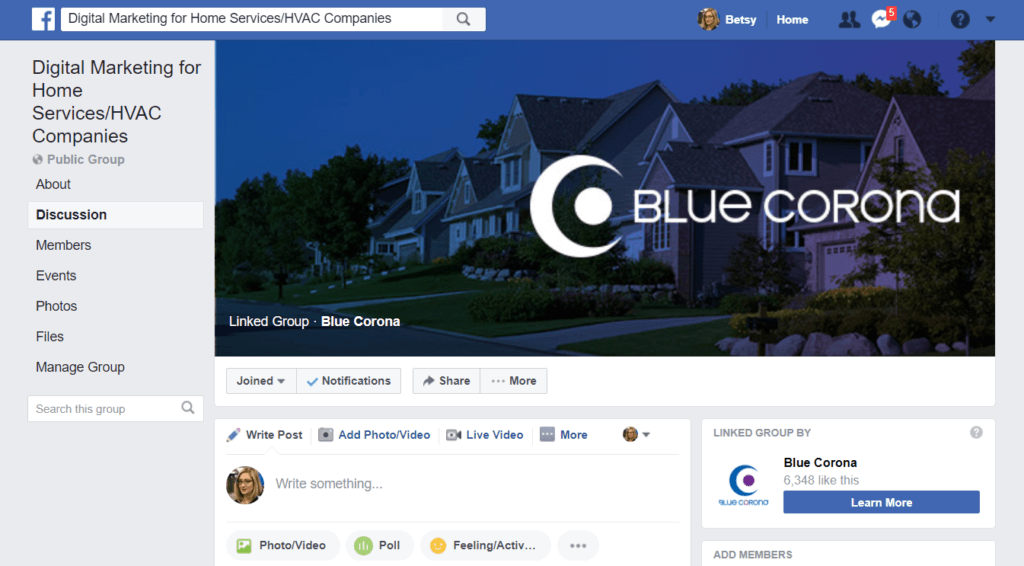
Facebook groups are different than Facebook business pages. A page is considered an “authentic and public presence” for a brand. A group “allows people to come together around a common cause, issue, or activity to organize, express objectives, discuss issues, post photos, and share related content.”
Anyone can create a Facebook group. However, if you’re going to create one for your business, you need to pick your topic carefully—the main point of belonging to a group is to engage with other like-minded users. If you’re a remodeler, create a group on “Dream Remodels,” where you encourage users to share photos of dream projects. If you’re a plumber, create a group on “What I Found in the Toilet” and post funny photos and posts on weird things you’ve dug out of drains.
While you can’t advertise your group, there are ways to get new members. I recommend creating a boosted post with the link to the group or heavily advertising it in your email campaigns and on other social media channels.
Facebook News Feed Hack #2: Create Micro-Moment Social Media Videos
Videos in social media are important. A Facebook representative has told us-point blank, the best way to publish your content to be seen in the news feed is through videos.
Hefty won YouTube’s 6-second ad competition because of their genius outlook on video micro-moments. The term “micro-moment” was coined by Google in 2015 to explain an “intent-rich moment when a person turns to a device to act on a need—to know, to go, or to buy.”
It’s well-known that our attention span on the web is short. You have around ten seconds (and in some cases, fewer) to catch the audience’s attention. The best way to do this—guaranteed—is to make your video short highlights of micro-moments. Find those tiny moments that people connect to—like turning on a car after it’s fixed, or cooking dinner in your brand new kitchen for the first time—and extend them from snapshots to 10-second windows into the moment itself.
Facebook News Feed Hack 3: Clean up Your Website Code
Facebook has become a lot more like Google in that it’s striving to provide more quality results to users, which means it’s looking to outside signals including website code. What code specifically?
Your Open Graph Meta Data
Your Website Speed
OPEN GRAPH METADATA
Unless you’re super-savvy with the back end of your website, this is a project for your website developer.
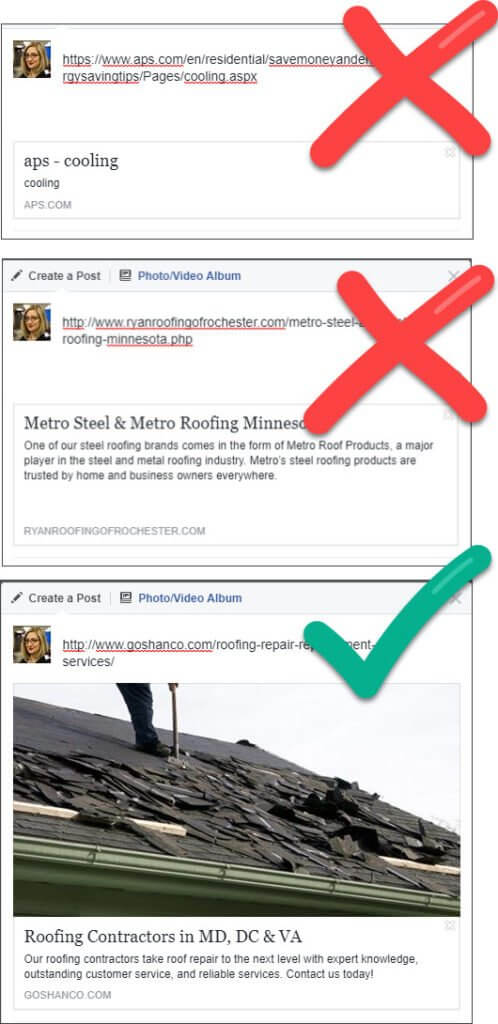
Open Graph metadata is a bit of code in the back of each of your webpages that tells social media sites essential information about your post. You know the snippets and photos that show up when you copy and paste a link? That’s what I’m talking about.
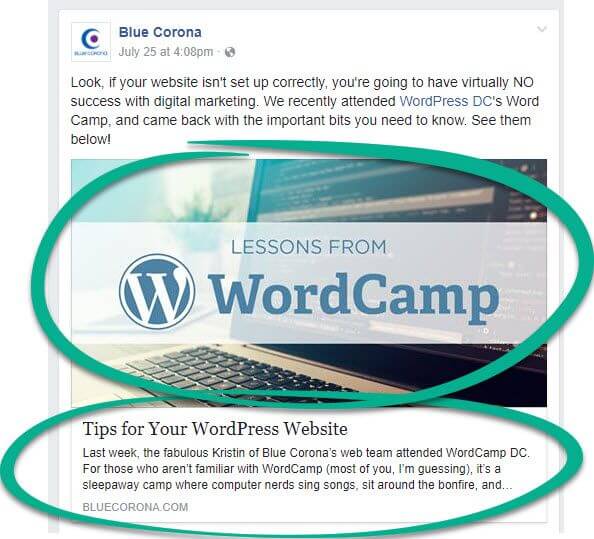
Tell your website developer that every single page on your website (that you intend to share) needs to have that special code, including a photo, otherwise your posts will end up without a description or a photo, and will be shoved down to the very bottom of the news feed.
WEBSITE SPEED AND STRUCTURE
The second part of your website tune-up should be your site speed and your mobile-readiness.
Site Speed: When was the last time you hit the “back” button on your browser or in an app because the page took too long? If you’re anything like me, it probably happened at least once today.
It turns out that I’m in the norm—people are too impatient to wait for a slow-loading page. In fact, Facebook reported that as many as 40 percent of website visitors abandon a site after three seconds of delay.
Another factor? Mobile-readiness. The large majority of Facebook users use the platform through mobile devices, which means only websites optimized for mobile will make it up at the top of the news feed. Facebook even has their own version of mobile pages: instant articles.
Facebook News Feed Hack 4: Avoid Clickbait at All Costs
SHE TOOK THESE MIRACLE DIET PILLS AND YOU WON’T BELIEVE WHAT HAPPENED NEXT!
PERFORM THIS ONE TASK TO NEVER WORRY ABOUT MONEY AGAIN!
WHEN YOU FIND OUT WHAT GOOGLE SAID YOU’LL BE SHOCKED!
We’ve all experienced it; a headline that looks promising but when you click on it you’re met with content that’s… well, not worthy of the headline. Facebook’s clickbait update targets these headlines—ones that either exaggerate or withhold information—and ranks them lower, using a number of factors and signals.
Clickbait: Headlines that withhold information intentionally leave out crucial details or mislead people, forcing them to click to find out the answer. For example, “When She Looked Under Her Couch Cushions And Saw THIS…” Headlines that exaggerate the details of a story with sensational language tend to make the story seem like a bigger deal than it really is. For example, “WOW! Ginger tea is the secret to everlasting youth. You’ve GOT to see this!” – Facebook, 2017
HOW DOES FACEBOOK KNOW WHAT HEADLINES ARE CLICKBAIT?
It starts with the landing page and bounce rate. In their 2014 update, Facebook started including the time people spent on an article as a signal of a clickbait-y headline. If someone spent a long time on a landing page before returning to the news feed, then the headline wasn’t clickbait. If they came right back, it was.
“If people click on an article and spend time reading it, it suggests they clicked through to something valuable. If they click through to a link and then come straight back to Facebook, it suggests that they didn’t find something that they wanted.” – Facebook, 2014
HOW TO BEAT IT:
Honestly, just don’t try to deceive anyone. or lure people to …meh content with WOW headlines.
In 2014, Facebook surveyed users and found that 80 percent of the time people preferred headlines that helped them decide if they wanted to read the full article before they had to click through. If what’s in your post isn’t interesting enough for you to create a compelling headline, you’ve got other issues.
Facebook News Feed Hack 5: Upload Photos and Videos Natively
The last tip is probably the easiest.
Instead of linking to photos and videos on other sites (looking at you, YouTube), upload them natively, or directly to the platform. This includes live video, which Facebook said would be preferred over any other type of video content.
Facebook’s news feed algorithm already favors images over links, and videos over images. That means video should be at the top of your social strategy—and it doesn’t have to be huge, long, polished commercials. GIFs work great, as do live Q&A sessions.
For the best results, make sure your images are:
High-resolution
1200×628 px for rectangular images
1200×900 for vertical images
Accompanied by a full description with tags
For best results, make sure your videos match the following:
Aspect ratio: 16:9 (here’s a complete list of supported aspect ratios)
Video: H.264 video compression, high profile preferred, square pixels, fixed frame rate, progressive scan
Format: .mp4 container ideally with leading moov atom, no edit lists
Audio: Stereo AAC audio compression, 128kbps + preferred
Length: 120 minutes max
Minimum resolution: minimum width 600 pixels
File size: Up to 4GB max
Thumbnail image size: 1,200 x 675 pixels
Thumbnail image ratio: Should match the aspect ratio of your video
Caption length text: Text only, max 2,200 characters
Tying it All Together: How to Succeed in Facebook Marketing
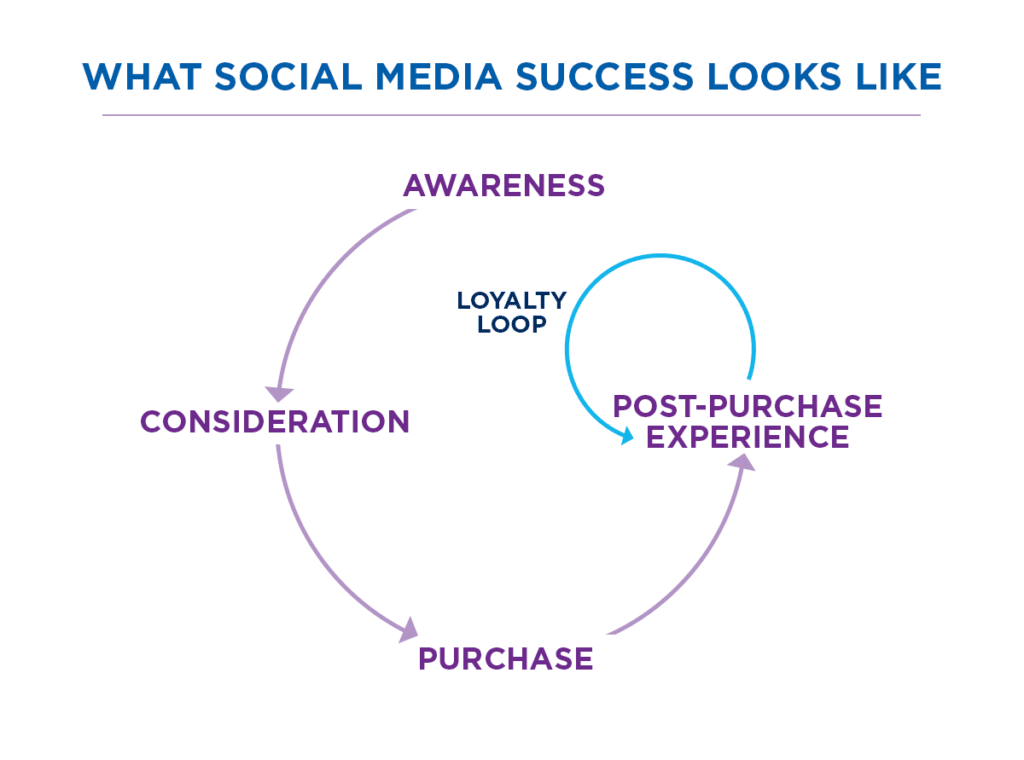
It seems so simple:
Post quality content according to Facebook’s specifications, and get more people to see your stuff. More people see your stuff, more people like your page/content. People that like your content become customers.
But come on, any social media manager knows that’s just not how it works. You’re still competing with family photos, political noise, news stories, quizzes—all the fun things people look at to waste time.
Not only that, you’re competing with publishers who make social media content for a living—some reputable, and some who are really, really good at scamming for clicks, likes, and shares.
Related Posts:
0 comments:
Post a Comment