
How to Recover deleted conversations on Facebook messenger: Facebook Messenger is an important application to stay connected with your close ones and friends. It is sometimes also an important app in a work environment and can have important work messages.
Some of your messages could be very dear to you and thus you wouldn't want to loose them. Loosing messages on Facebook will make you loose memorable messages and some other important information. With very little effort, it is possible to recover deleted Facebook messages on your Android phone. Even if you have deleted messages from the messenger app, you can still recover them.

How to recover deleted messages.
1: Recovering deleted Facebook messages from Android device?
Recover deleted Facebook messages
Facebook Messenger also operates with off the internet principle. This means there is always another copy of the same messages in your phone memory. Messages you thought were gone, are actually still there on your phone.This makes it possible to recover deleted Facebook messages within several simple steps easily.
Here is how you can recover your deleted Facebook Messages:
Download a file explorer for Android. It will help you explore the folders on your SD card. ES explorer, is one of the most preferred.
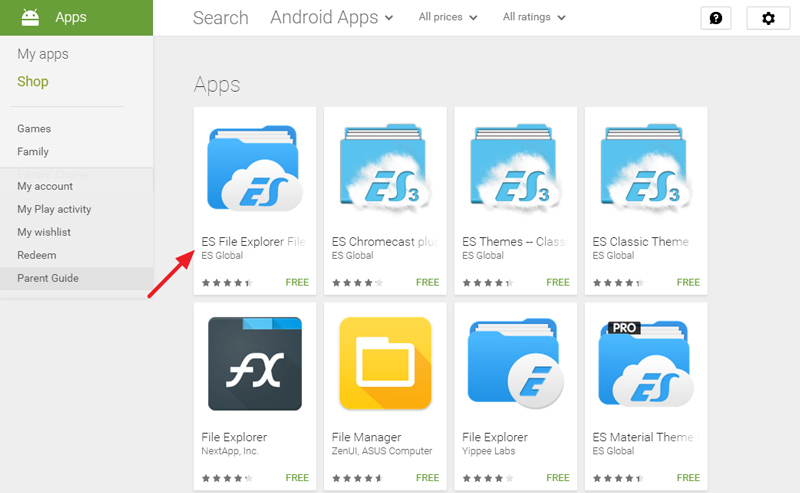
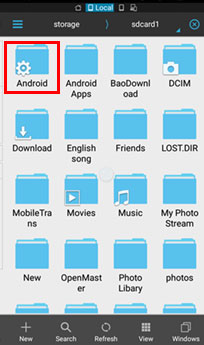
Open the ES File Explorer App. Go to the storage/SD card. In it you will find the android folder, which holds all the data related applications.
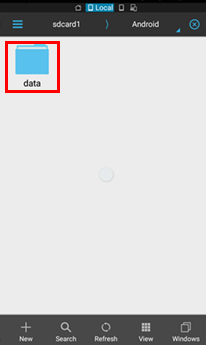
Enter the folder and click data folder.
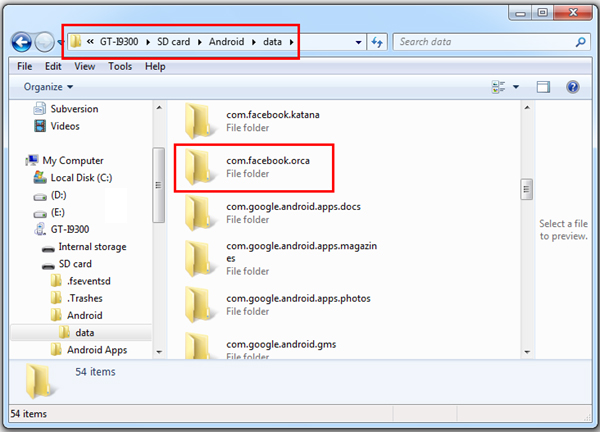
Under Data you will find the folders related to all applications. You will find "com.facebook.orca" folder, which belongs to Facebook Messenger. Just tap on that
Now tap on the Cache folder, under which you fill find the "fb_temp". It has all the backup files related which are saved automatically by the Facebook messenger.This make sure that we can recover Facebook messages on our phone.
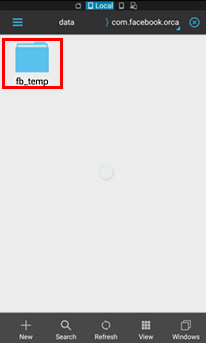
Another way to find the same files is accessing your phone memory from computer. Just connect your phone to your computer using USB. Follow the same procedure and access the fb_temp folder.
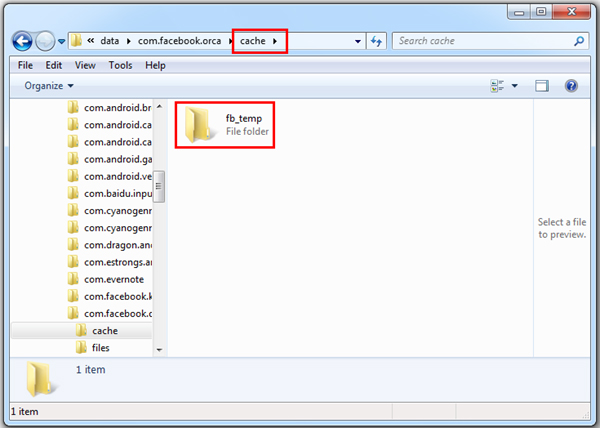
2: How to recover Facebook messages?
Archiving the Facebook messages
This is good way to secure your messages. This can be done either on Facebook website, Facebook app or Facebook Messenger, all gives you little control over your messages.
Go to the Messenger and open up your recent conversation list. Then scroll to the contact, which you want to archive and perform long press. The following windows pops up.
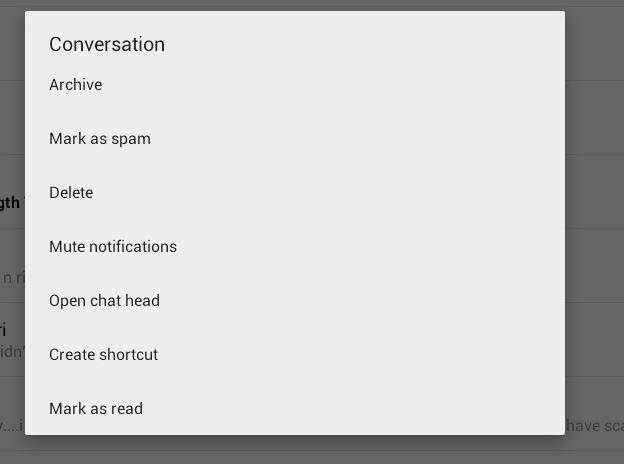
Archiving the entire message
Select the archive and it will be moved to archive that can be retrieved later when you need it.
It so simple and easy to archive Facebook messages but you must be aware the archiving contact, conversation history will be still there. In case you want to delete the conversation, go to recent tab and choose delete option after long press. This is an ultimate solution, so make sure it was oroperly thought through.
3: How to recover deleted Facebook messages from a downloaded archive
Recovering deleted Facebook Messages
Once you have archived the message they are safe. If you want to view the archived message it is also easy and simple.
If you'd like to recover deleted Facebook messages,
Firstly, you should log-in to the Facebook account.
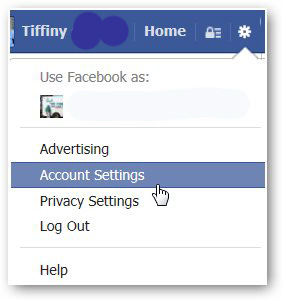
Tap "Account Settings" as shown in the below picture.
Click on "Download a copy of your Facebook data" at the bottom of the page.
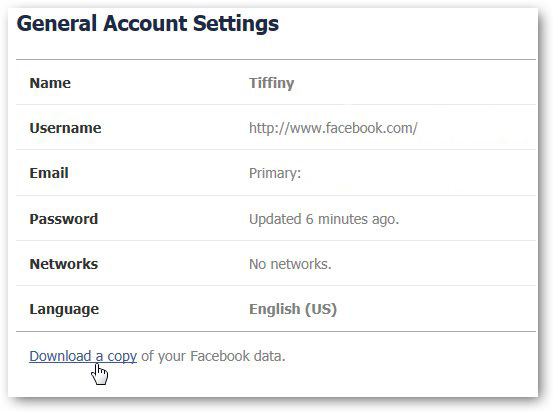
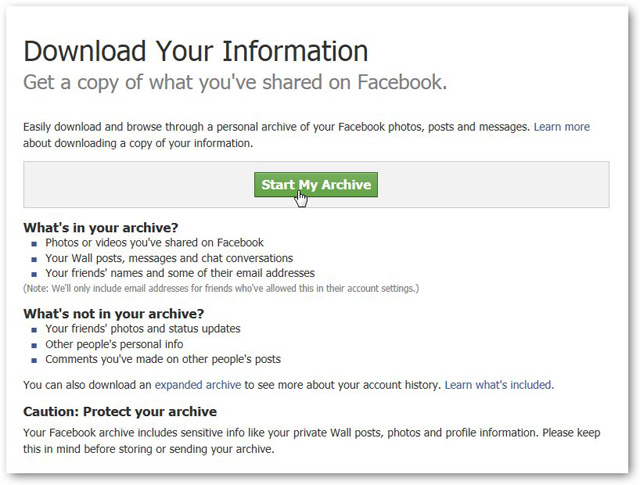
Here you can see a page where you download what you have done before in your Facebook account.
Click "Start My Archive"as shown in the below screenshot.
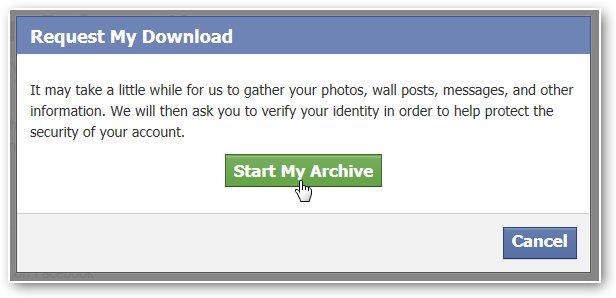
Then it will pop up a box named "Request My Download", which tells you that it will take a little while to gather your Facebook information.
Tap the green button "Start My Archive" again to start gathering all of your Facebook information.
After that, here will show a small dialog box. And there is a download link at the bottom of the dialog box.
Click on the link so as to download your archive. This may take about 2-3 hours if you want to recover Facebook messages.
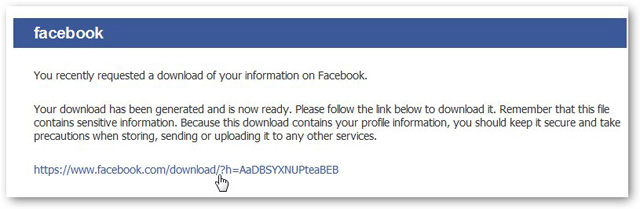
Enter the password again before you download your archive.
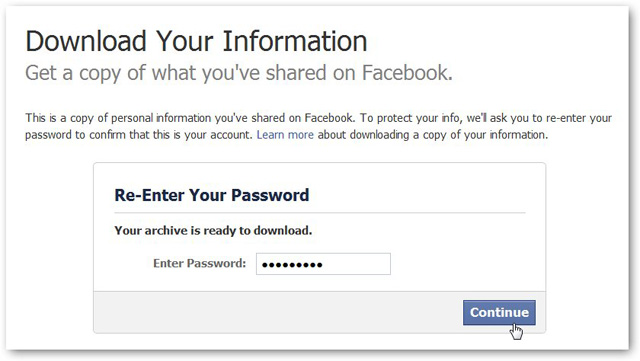
Click on the "Download Archive" button and it will immediately download to your computer.
Unzip it, and then open the file which named "index".
Click on the file "Messages" and it will load all of your past messages.
Recovering deleted Facebook messages is an an easy process, and thus you wouldn't have to worry when you delete a message mistakenly.
RELATED POST: