
How to View Archived Messages on Facebook Messenger: We all know what Facebook is. Facebook is the most famous social media that has made a big impact on its each and every user's life. Every day, our life starts with checking our Facebook messages and notifications. If we miss checking anything on a day, we feel left out and alone. Everybody knows the importance of their Facebook messages. What if you lose your important Facebook messages and don't know how to recover it? If you are reading this article then you don't have to worry about it anymore. This article will give you the best ways to learn how to view archived messages on Facebook messenger in the easiest ways

1: How to Find Archived Messages on Facebook Messenger
If you have accidentally archived an entire conversation with a friend, you can get that conversation back anytime you want. Archiving doesn't mean that you have deleted that conversation; it rather means that it will stay in another folder where all the oldest conversations are kept. Here is how to find archived messages on messenger –
On a Computer:
1. Go to https://www.facebook.com and login to your account.
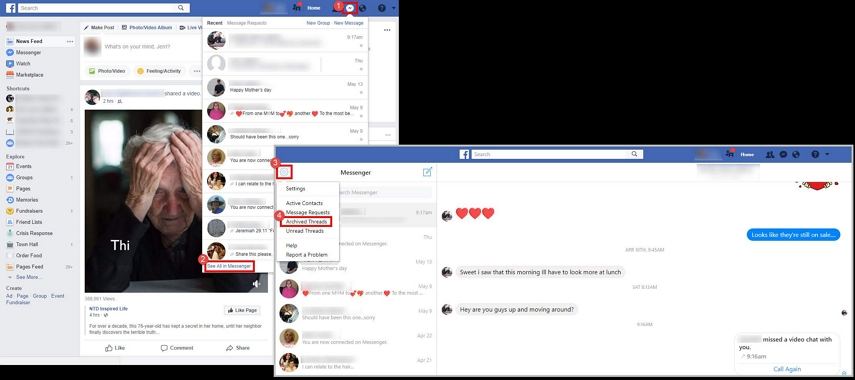
2. Now click on the "Messages" option. You will find it at the top blue bar and in the right side of your profile name.
3. Now click on "See all in Messenger" at the bottom of the messages window.
4. Now click on the "Settings, help and more" button from the top left corner of that page.
5. Now choose "Archived Threads" to see all the archived messages in the past.
6. You can just send another message to any one of those recipients which will unarchive that entire conversation.
On a Mobile Device:
1. Open the Facebook messenger app on your iPhone.
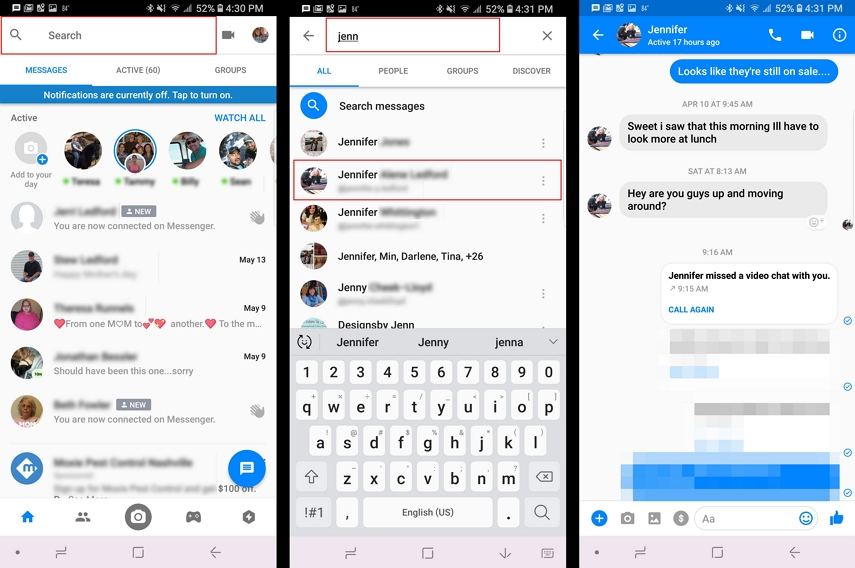
2. Now on the search bar of your messenger app, type in the name of that person account you want to view messages for.
3. Now select the friend's account whose messages you want to view from the search results. When you open the thread, you will see all the messages you have archived accidentally.
Part 2: How to See Archived Messages on Facebook from a Downloaded Archive
Our everyday messages and conversations from our phones are very important to us. If you have accidentally deleted messenger messages from your iPhone, then there is a very easy way to download a copy of your Facebook data which includes photos, videos, contacts, and other personal information. Here is how to retrieve archived messages on Facebook messenger from a downloaded archive –
1. First login to your Facebook account using your email id and password.
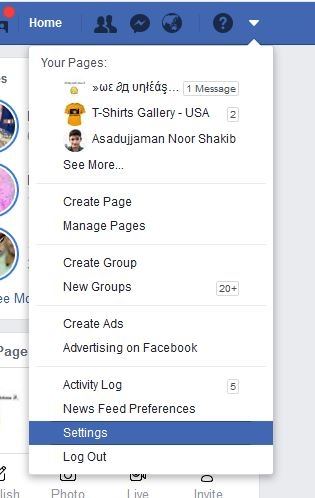
2. Go to the "Settings" option by clicking on the small icon.
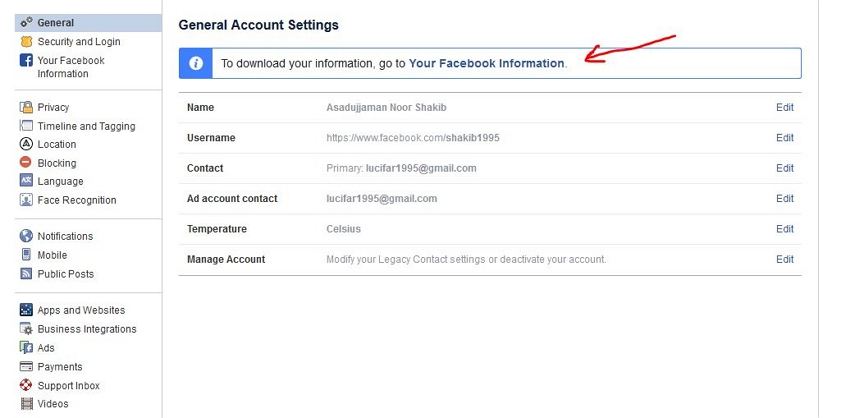
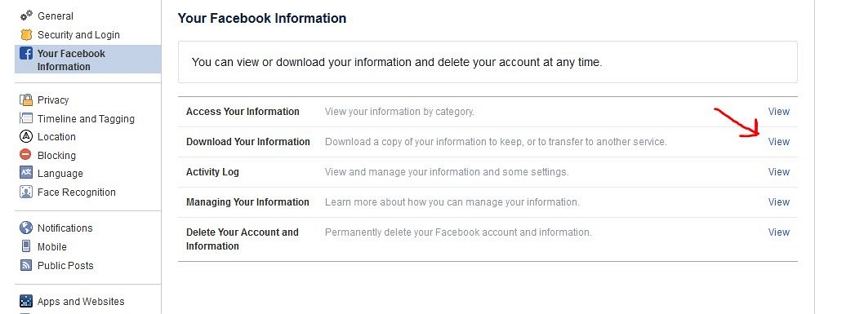
3. Now click on the "Your Facebook Information" button and then click on the "View" button from the Download Your Information section.
See Also:
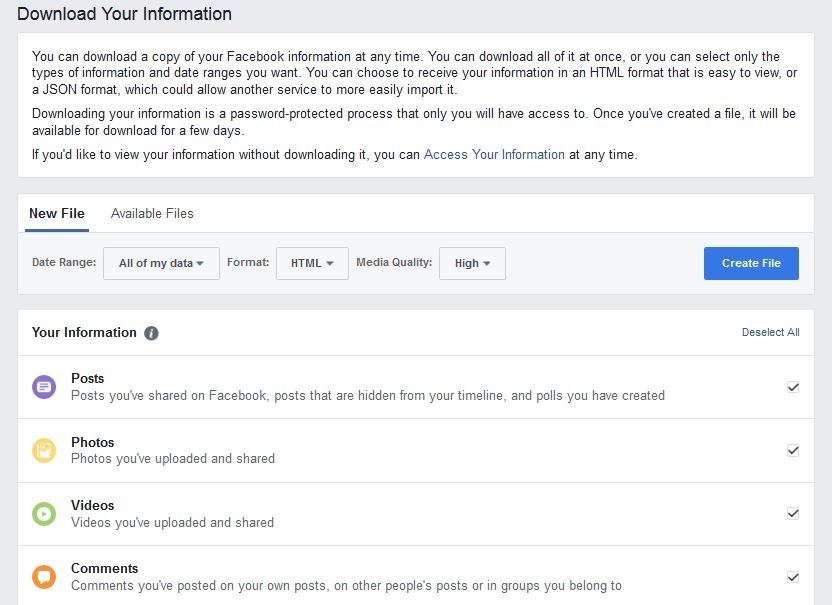
4. You will see a page where you can choose which data you want to download from Facebook. You can choose only messages if you want or you can choose as you like. Also, you can choose the file type of your data. Now click on the blue "Create File" button.
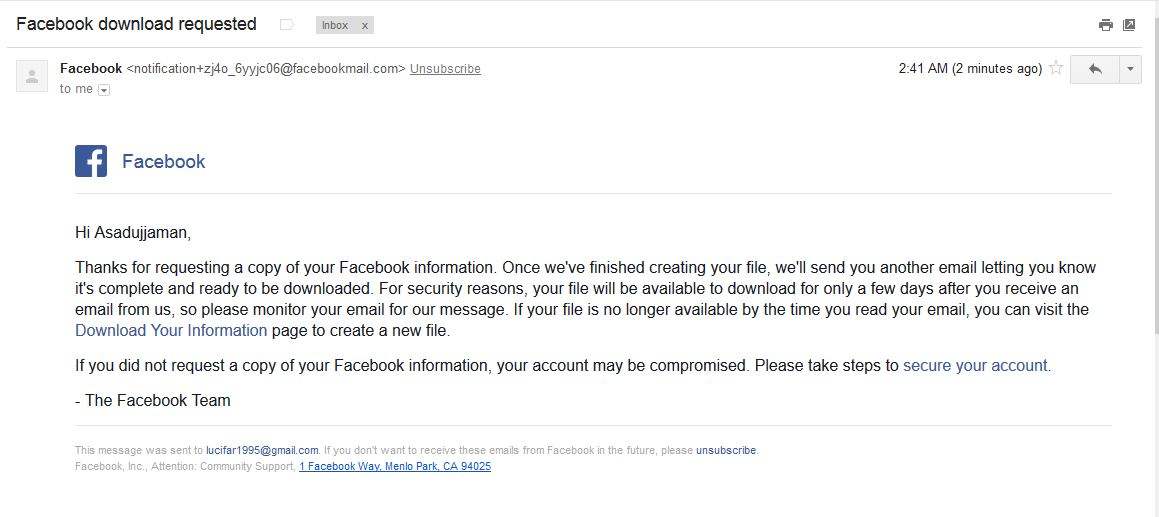
5. Facebook will email you the link of that file and you need to download it as soon as possible because the file will be available for only a few days.
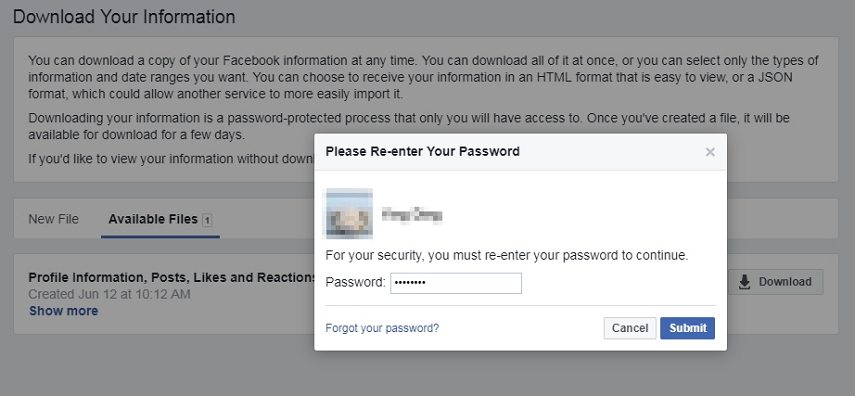
6. Go to the download page and enter your Facebook account password to download your Facebook information to your computer.
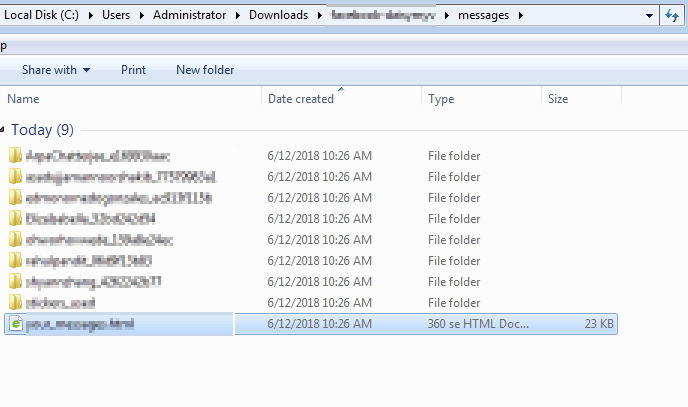
7. Now on your computer, unarchive the file you just download and you can see all your messages on the "messages" folder.
Part 3: How to Archive Messages in Facebook Messenger
So far you have learned how to see archived messages on messenger app. Here is how to archive messages on Facebook messenger. From a Computer:
1. Go to https://www.facebook.com and login to your account.
2. Now click on the "Messages" option. You will find it at the top blue bar and on the right side of your profile name.
3. Now click on "See all in Messenger" at the bottom of the messages window.
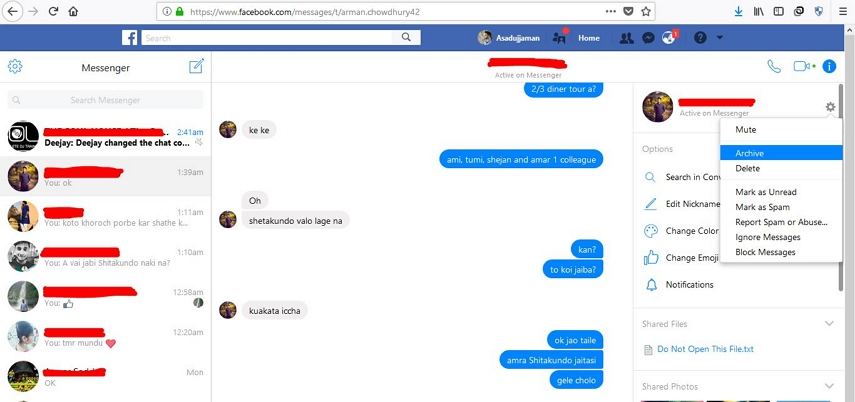
4. Click on the messages thread you want to archive and from the right side of the page, you will find the name of that person's profile.
5. All you have to do is click on the "Settings" icon beside the profile name.
6. Now click on the "Archive" button and the conversation will be moved to your archived folder.
See video:
See Also: